## 01 OVERVIEW
VTVL is a web3 startup focused on token and portfolio management — giving founders and token recipients a safe, transparent way to create vesting schedules, fund contracts, and claim tokens. Web3 projects faced error-prone manual processes, security vulnerabilities, and a lack of transparency in token vesting.
I led the end-to-end design at VTVL from 2022 to 2024, collaborating closely with key stakeholders including product managers, engineers, and founders. The chapters below cover the ten product areas we redesigned or built from scratch.
- 70% Faster token distribution
- 65% Improvement in stakeholder transparency
- 57% Increase in security compliance
- 83% Reduction in administrative time
## 02 TASK MANAGEMENT
Simplifying Task Management with Dynamic Solutions
PROBLEM Complex Task Management
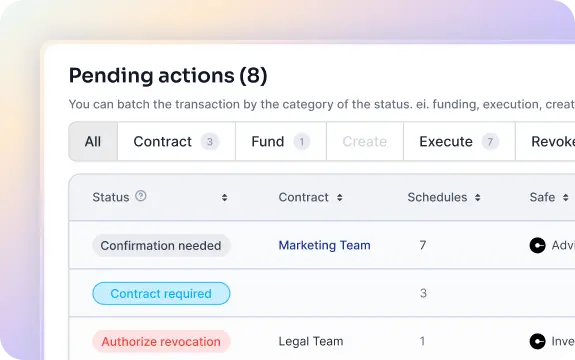
Founders face lengthy steps for actions, unclear approval processes, inadequate data visualization, and unintuitive navigation.
- 70% Struggled with complex steps and lengthy task actions
- 70% Faced unclear pending actions and approval processes
- 75% Experienced inadequate data visualization — static tables, no live reloads
- 80% Encountered unintuitive navigation across multiple tabs
GOAL Streamlining Task Management
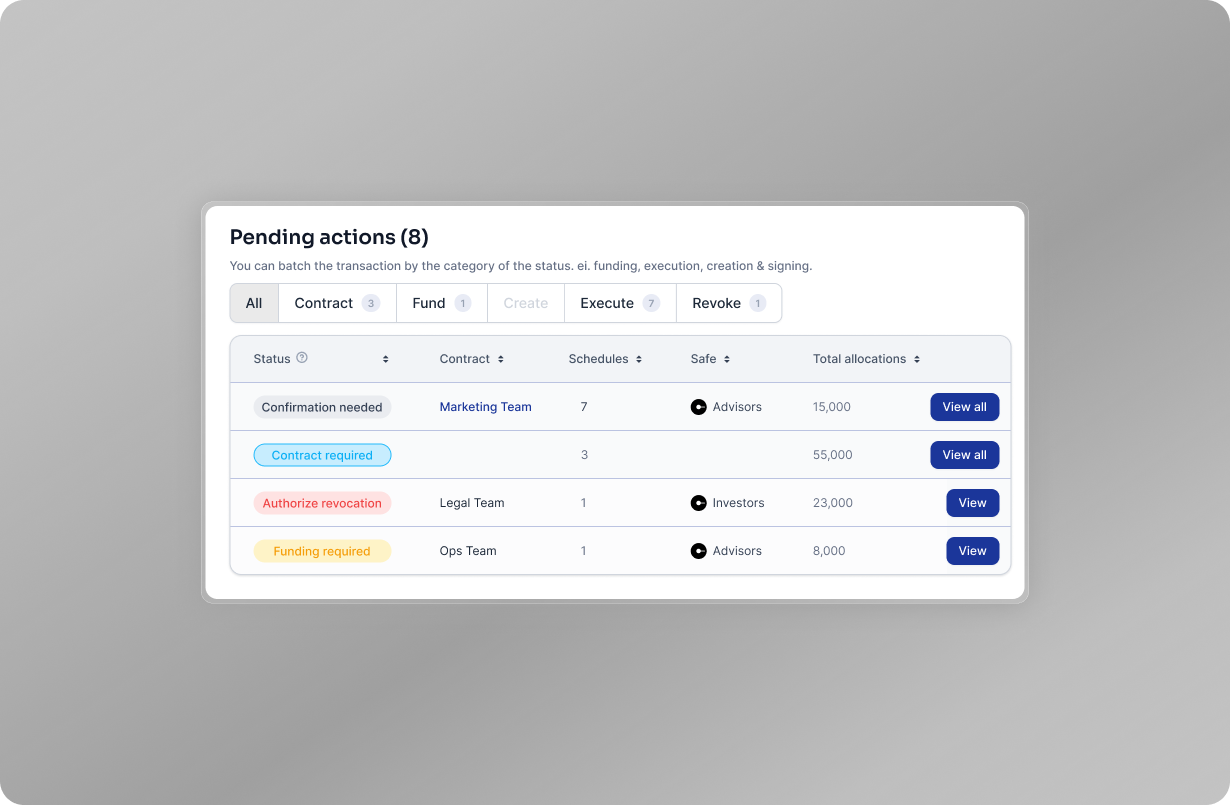
Make task management scalable and intuitive by streamlining actions and enhancing the UI for better user interaction and live updates.
DISCOVERY Understanding Founder Needs
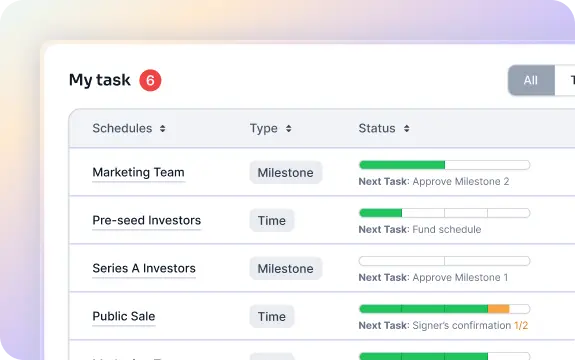
We engaged with multiple founders to understand their task management processes and identified critical pain points — lengthy multi-step actions, no clear signal on what needed approval, static tables that went stale, and workflows scattered across tabs.
SOLUTIONS Implementing Dynamic Task Management Solutions
01 / Unified Task Management UI
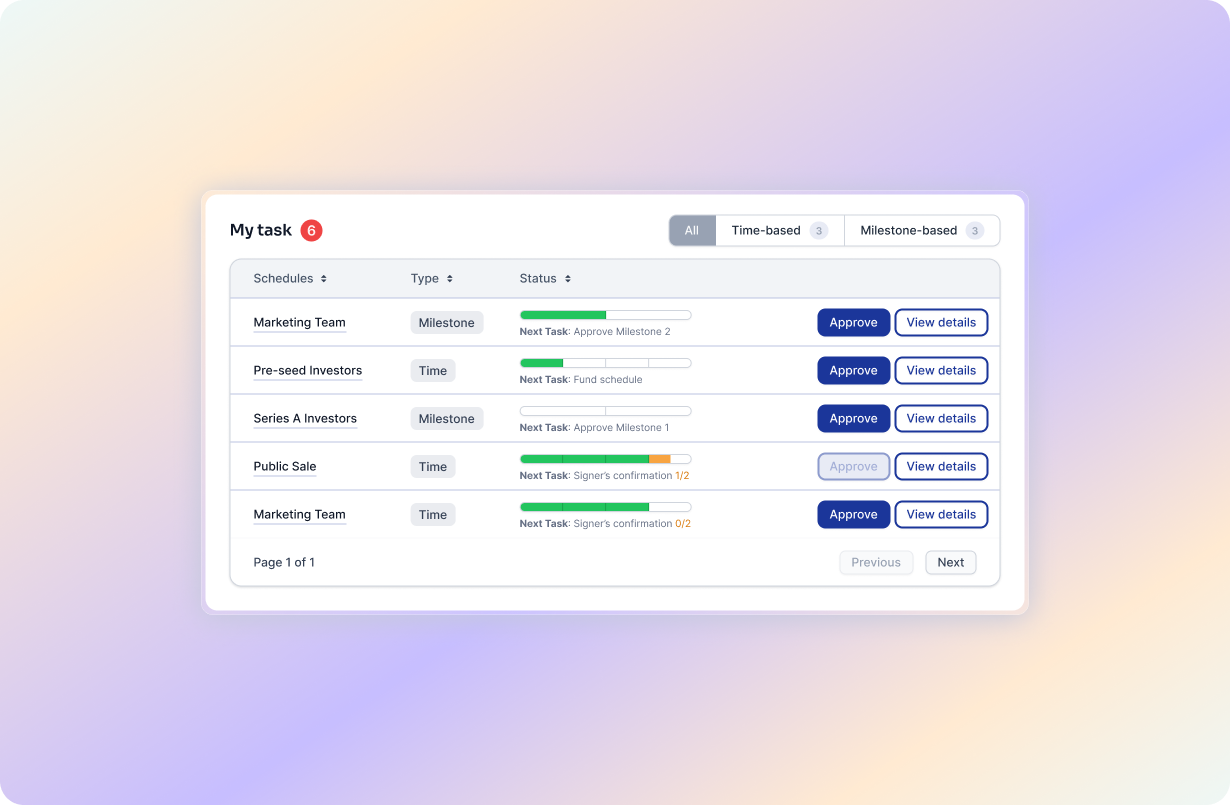
Enables all task steps to be completed on one screen without switching tabs, enhancing efficiency and ease of use.
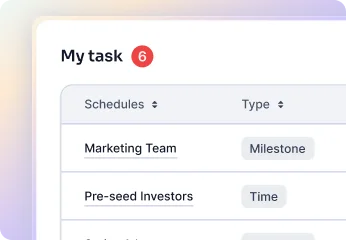
02 / Dynamic Task Status Updates
Offers specific charts like Claims vs. Price Change and Active Claimers for detailed insights.
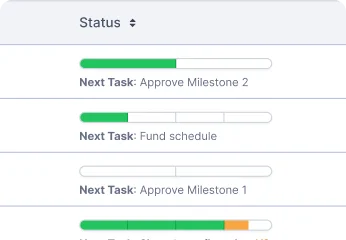
03 / Streamlined Action Buttons
Implements real-time reloads of task statuses and new vesting types for better tracking and management.
BEFORE / AFTER
RESULTS
Our dynamic task management solutions have significantly improved user experience and operational efficiency — quicker task completion, increased user satisfaction, and reduced pending actions.
- 45% Reduction in pending actions
- 60% Increase in user satisfaction
- 50% Improvement in task completion speed
TAKEAWAYS
- Enhanced Efficiency
Streamlined actions reduce completion time · Live updates provide real-time insights - Improved User Satisfaction
Intuitive UI enhances user experience · Dynamic details improve interaction - Operational Scalability
Scalable solutions support growing needs · Automation reduces manual workload
## 03 RECIPIENTS
Improving the Scalability of Adding Recipients
PROBLEM Improving the Scalability of Adding Recipients
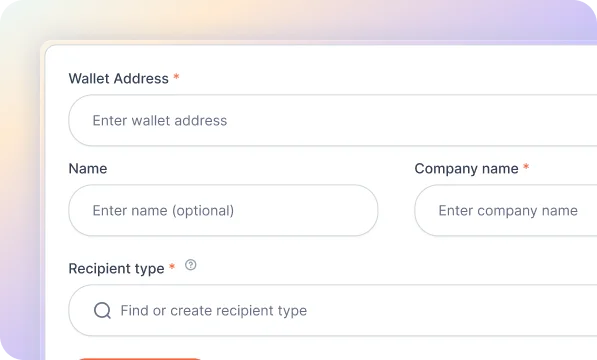
Founders and users found the current method of adding recipients cumbersome and unclear, especially as the number of recipients increased.
- 60% Found the add recipient screen messy
- 80% Reported unclear CTA hierarchy
- 70% Needed a scalable solution
GOAL Streamlining the Recipient Addition Process
Design a scalable, organized way to add recipients — reducing clutter, clarifying the CTA hierarchy, and keeping the flow efficient as recipient lists grow.
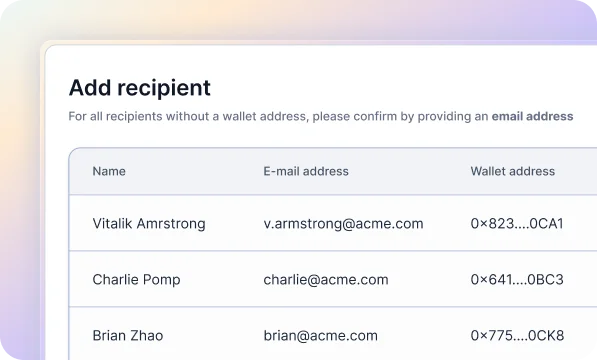
DISCOVERY Understanding the Need for Scalability and Clarity
Users experienced cluttered interfaces that demanded more screen space, struggled to understand next steps, and wanted a more organized, efficient method as recipient counts increased.
SOLUTIONS Streamlining the Recipient Addition Process
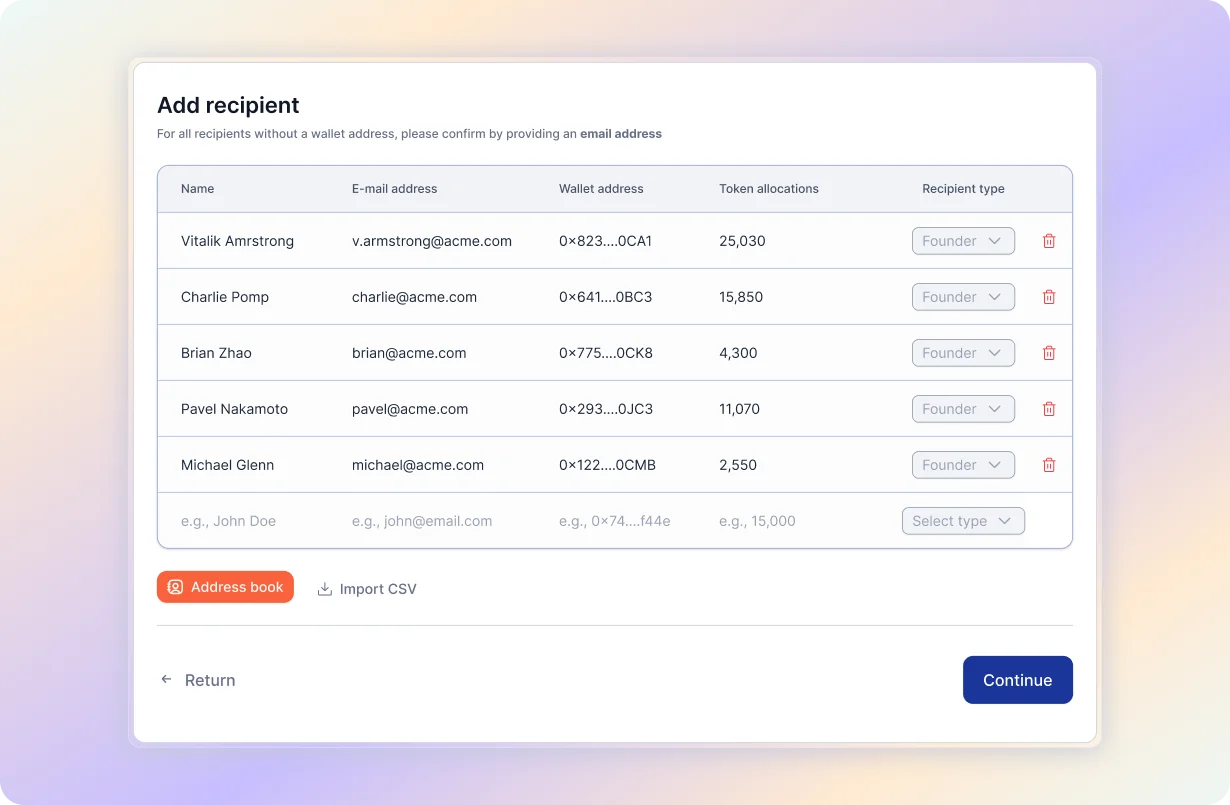
To address these issues, we developed a new scalable interface for adding recipients:
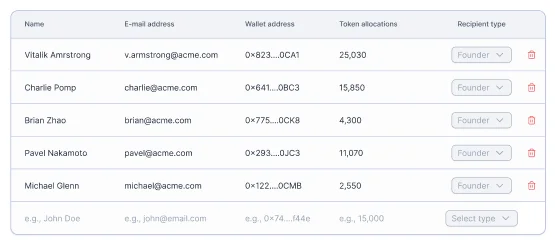
01 / Data Table Approach
Allows recipient data to be added in a single row, reducing screen real estate usage.
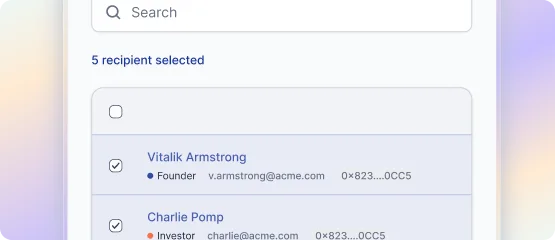
02 / Address Book Feature
Enables selection of previously added recipients from the database using a drawer feature.
BEFORE / AFTER
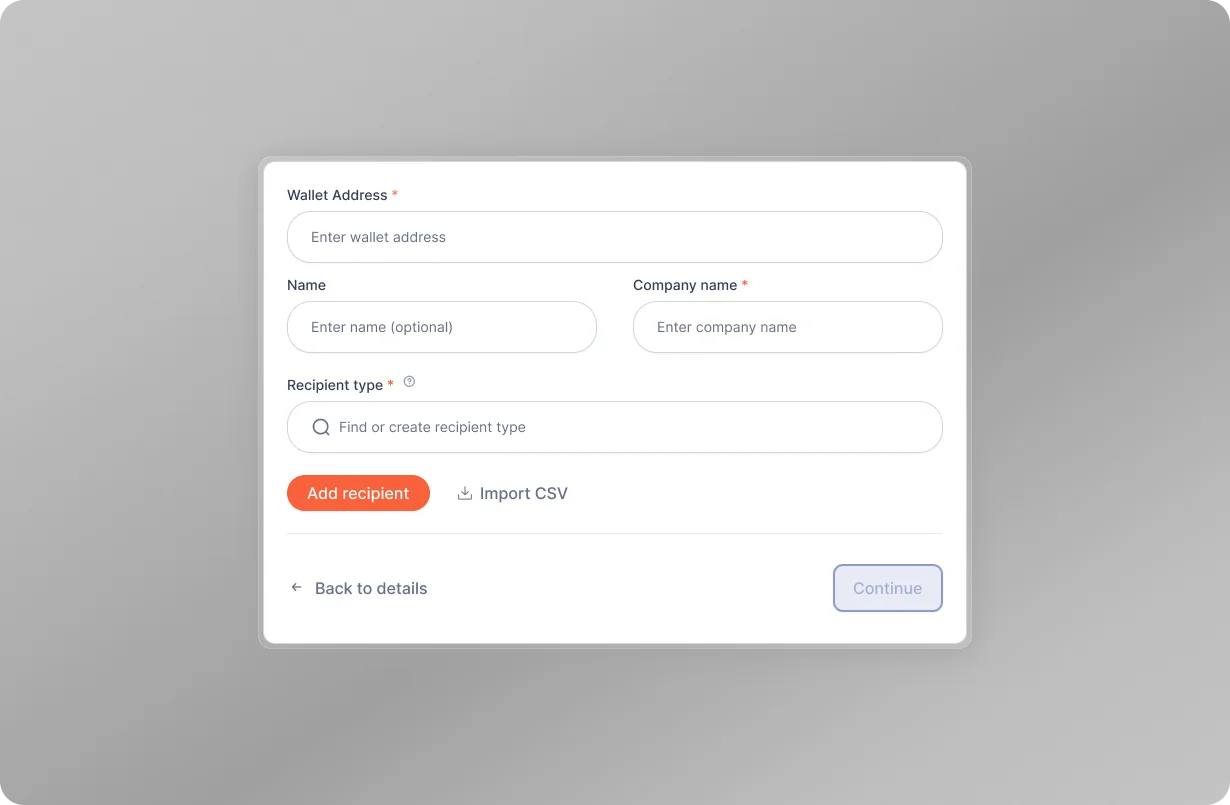
RESULTS
The new interface significantly improved the process of adding recipients to vesting schedules, providing a scalable and user-friendly solution.
- 70% Improvement in process scalability
- 60% Increase in user satisfaction
- 55% Reduction in screen space usage
TAKEAWAYS
- Enhanced Scalability
The data table approach allowed for efficient addition of multiple recipients · Reduced the need for extensive screen real estate - Increased Clarity
Clear CTA hierarchy made the process more intuitive · Users could easily understand and follow the steps - Improved User Satisfaction
Users appreciated the intuitive and guided process · Enhanced overall onboarding experience
## 04 IN-APP TRANSACTION
Simplifying In-App Transactions for Efficient Funding
PROBLEM Manual Funding and Limited Balance Overview
Founders found it tedious to fund contracts manually and lacked an overview of their balance, leading to inefficiencies and a fragmented workflow.
- 65% Found the funding process tedious — multiple steps across different pages
- 80% Lacked manual funding options — no flexibility in funding based on needs
- 55% Had no overview of other wallets — inefficient use of available funds
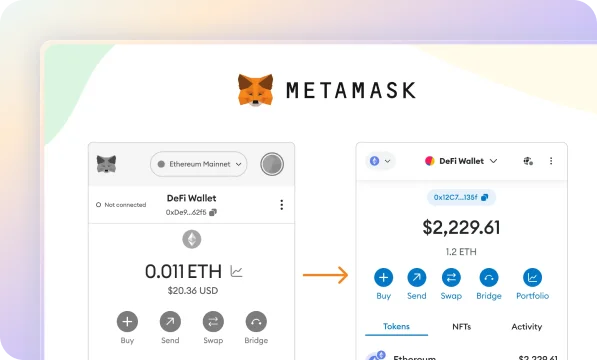
GOAL Simplifying Funding Post-Schedule Creation
Simplify the funding process post-schedule creation by providing a streamlined interface, enabling efficient contract funding.
DISCOVERY Understanding Founder Needs
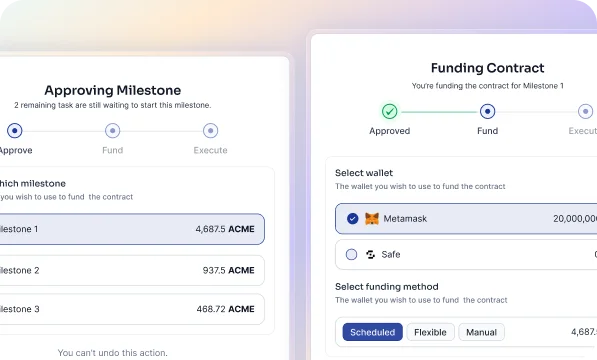
Founders experienced significant challenges with the existing process, which required navigating through different pages and tabs to fund contracts or vesting schedules. They lacked options for manual, needs-based funding and had no overview of other wallets that could be utilized.
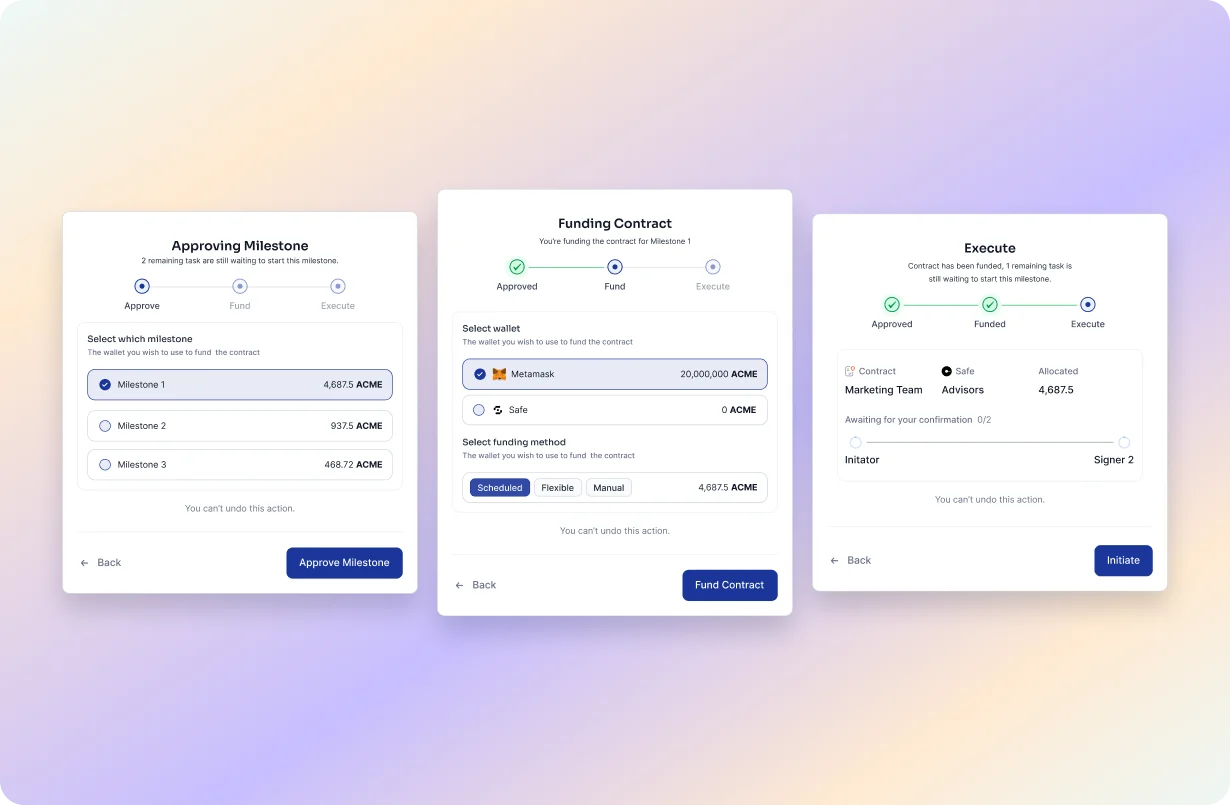
SOLUTIONS Enhancing the In-App Transaction Modal
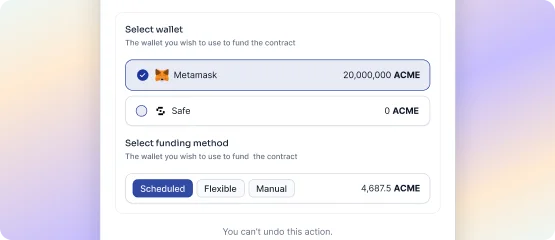
01 / Integrated Funding Options
Included within the modal steps post-schedule creation for a seamless process.
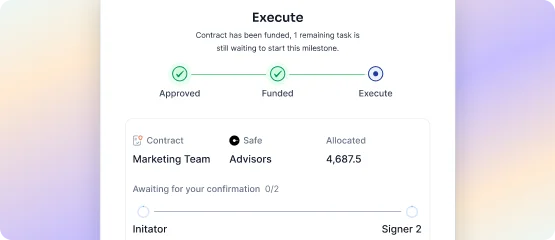
02 / Flexible Funding Options
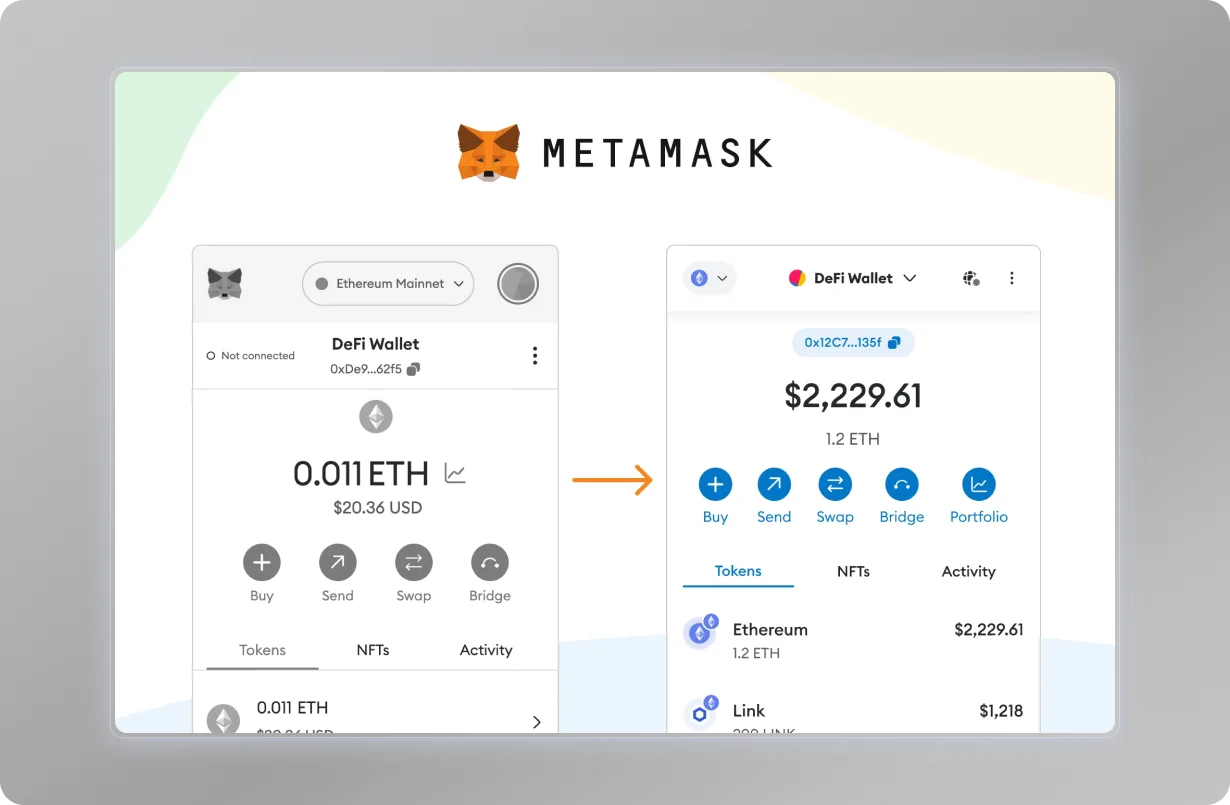
Allowed funding via MetaMask or Safe wallet and provided options to fund as required, partially, or for future use.
BEFORE / AFTER
RESULTS
Our new in-app transaction modal significantly improved the funding process, providing better efficiency and a more seamless user experience.
- 45% Better utilization of available funds
- 60% Increase in user satisfaction
- 50% Reduction in funding time
TAKEAWAYS
- Enhanced Efficiency
Simplified the funding process, reducing the need to navigate multiple pages · Integrated options provided a seamless workflow - Increased Flexibility
Allowed users to fund contracts based on their specific needs · Provided multiple funding options within the modal - Improved User Experience
Users appreciated the streamlined and intuitive process · Comprehensive balance overview helped in better fund management
## 05 GNOSIS SAFE
Simplifying Gnosis Safe Wallet Integration
PROBLEM Streamlining Safe Wallet Creation and Management
Founders had to navigate to Gnosis Safe to create new wallets and add other owners, making the process cumbersome and time-consuming.
- 90% Founders use Gnosis Safe for its robust security features
- 70% Found switching platforms for wallet creation cumbersome
GOAL In-App Safe Wallet Creation and Integration
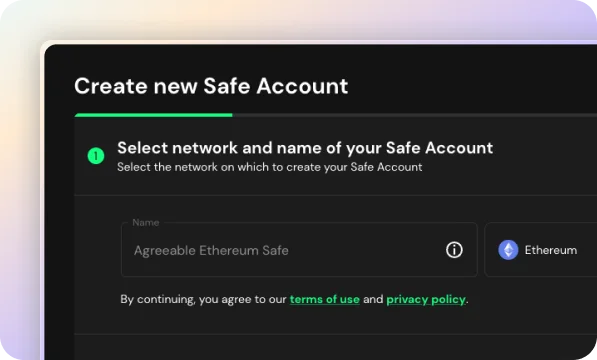
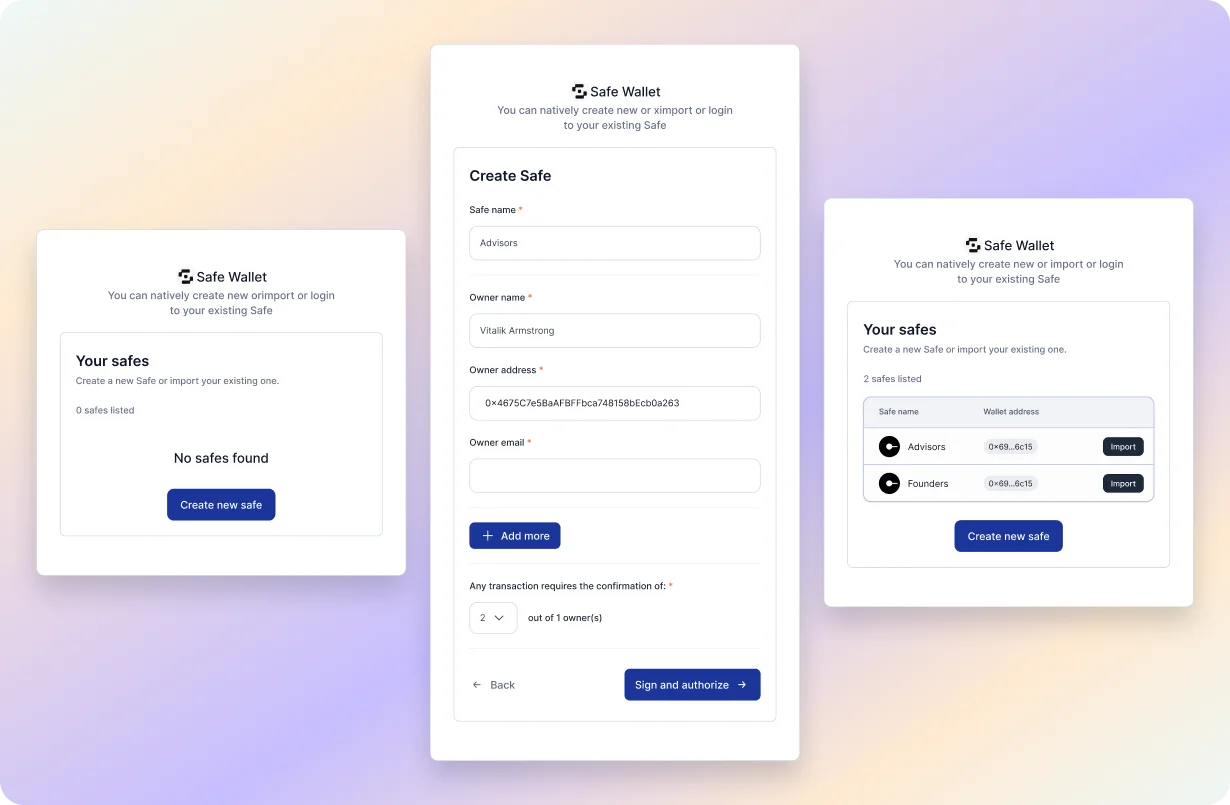
Enable the in-app creation of Safe wallets and automatically detect if the connected wallet is associated with a Safe account — VTVL then shows an option to import the Safe wallet, streamlining the process for founders.
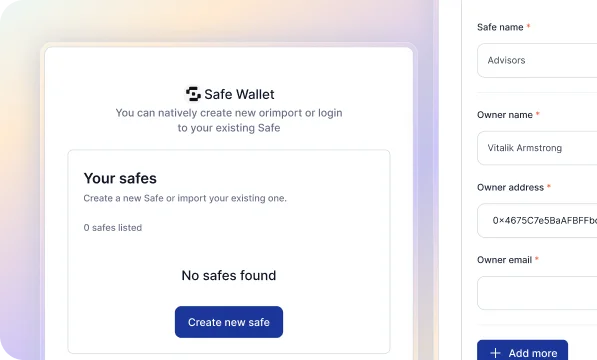
DISCOVERY Understanding Founder Preferences
A significant majority of founders (90%) use Gnosis Safe for its security features. However, the need to switch platforms for wallet creation and management was a major inconvenience.
SOLUTIONS Introducing In-App Gnosis Safe Integration
To address these issues, we developed an in-app integration for Gnosis Safe, enabling founders to create and manage Safe wallets directly within VTVL:
01 / In-App Creation of Safe Wallets
Allows founders to create Safe wallets directly within the app, eliminating the need to navigate to Gnosis Safe.
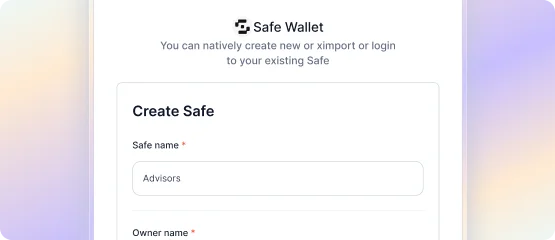
02 / Auto-Detection of Safe Wallets
Automatically detects if the connected wallet is associated with a Safe account and provides an option to import the Safe wallet seamlessly.
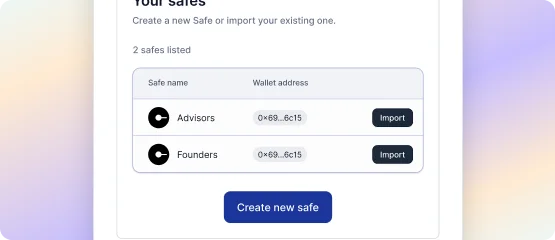
BEFORE / AFTER
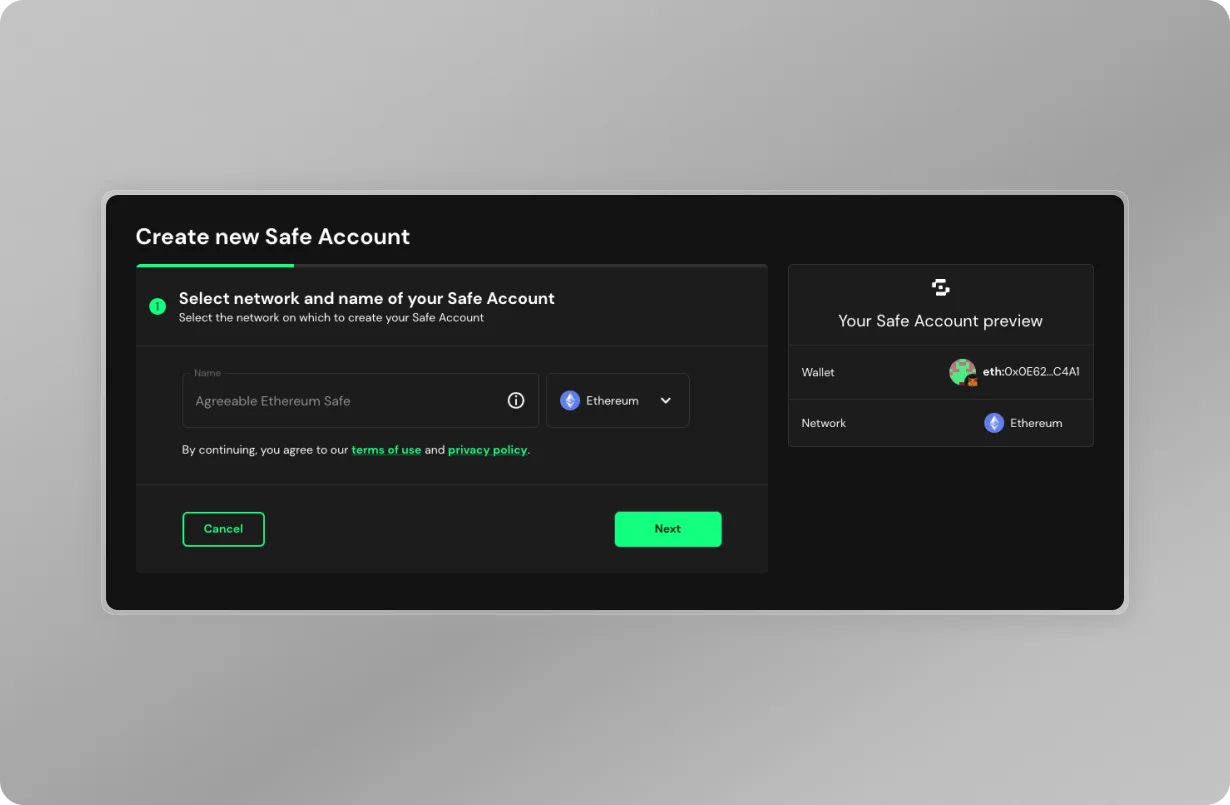
RESULTS
The new in-app Gnosis Safe integration significantly improved the wallet creation and management process. Founders can now manage their Safe wallets directly within VTVL, saving time and reducing complexity.
- 80% Adoption rate of in-app Safe wallet creation
- 70% Increase in user satisfaction
- 65% Reduction in time spent on wallet management
TAKEAWAYS
- Enhanced Efficiency
Simplified the wallet creation and management process · Integrated options provided a seamless workflow - Increased Clarity
Auto-detection and import of Safe wallets · Users can manage everything within a single platform - Improved User Satisfaction
Users appreciated the streamlined and intuitive process · Reduced time and effort in managing wallets
## 06 MINTING
Simplifying Token Minting and Import Process
PROBLEM Facilitating Token Creation and Import for Founders
Not all founders have created their project's token, leading to delays and complications in the onboarding process.
- 60% Want to import their existing project token — need a seamless import process
- 40% Have not created their token — require guidance and tools to create one
GOAL Streamlined Token Creation and Import During Onboarding
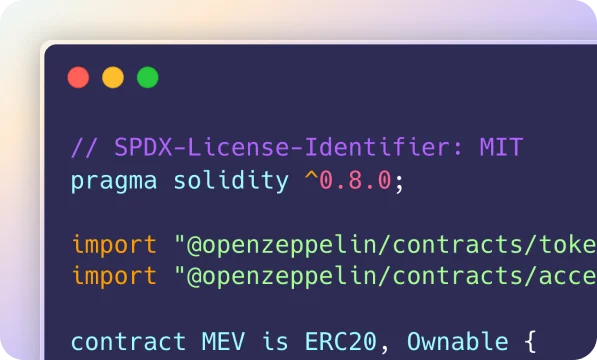
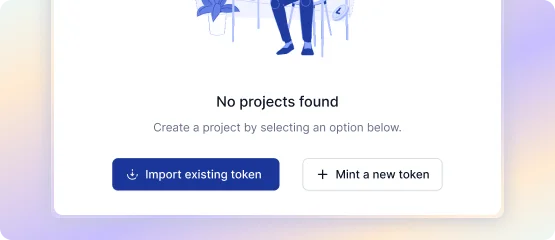
Streamline token setup by asking founders if they have an existing token or need to create one, ensuring a smooth onboarding process.
DISCOVERY Understanding Founders' Needs
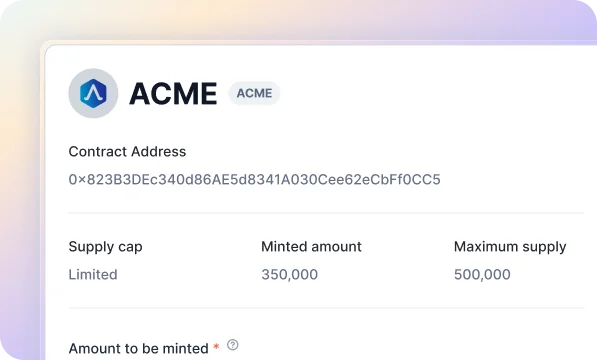
A significant number of founders have different needs regarding token creation. Some have already created their tokens and need an import feature, while others require assistance in creating a new token.
SOLUTIONS Enhancing Onboarding with Token Minting and Import
To address these issues, we integrated token minting and import options directly into the onboarding process:
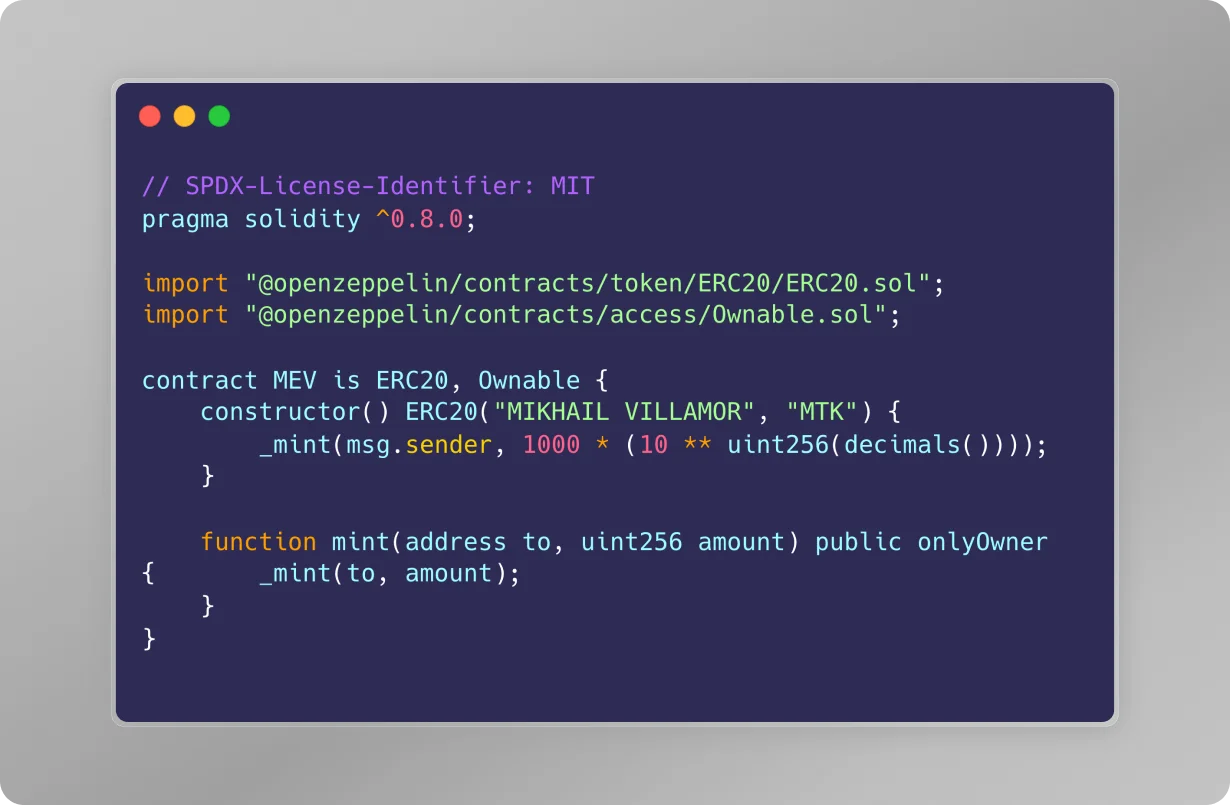
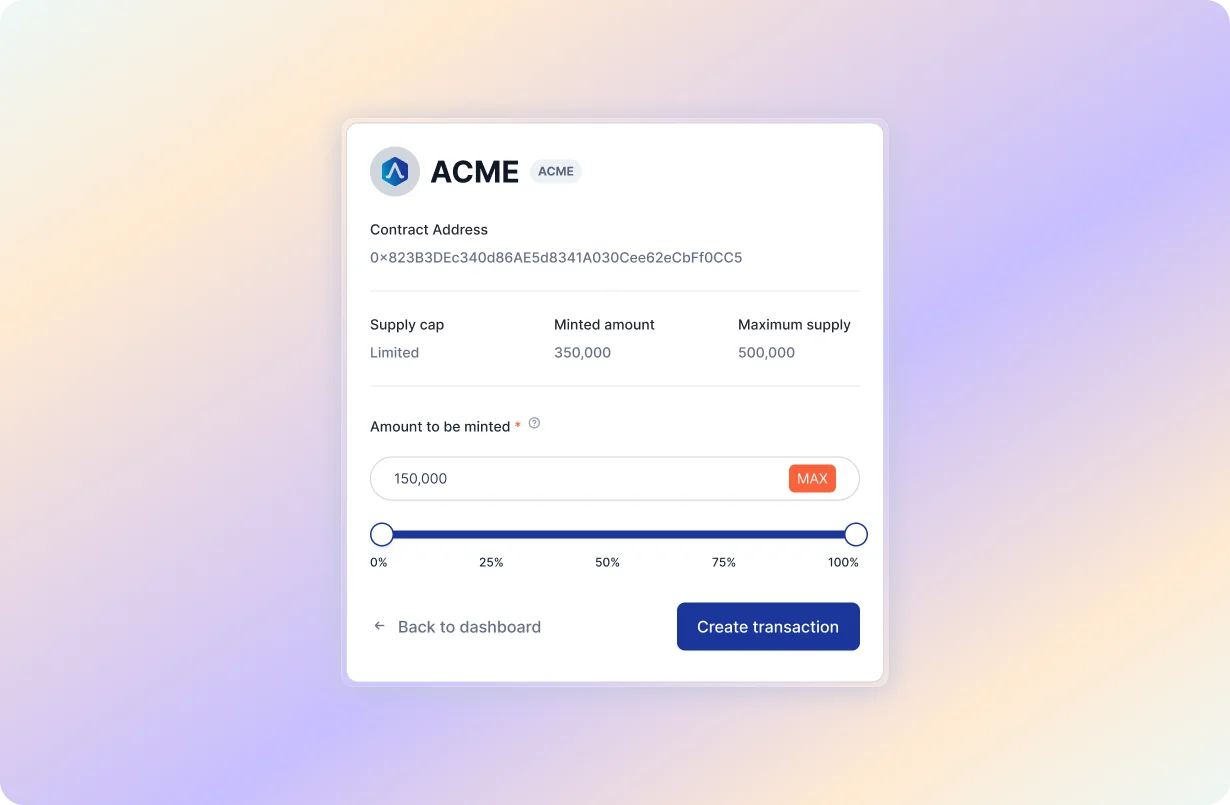
01 / Token Creation Option
Guides founders through the process of creating a new token if they haven't done so.
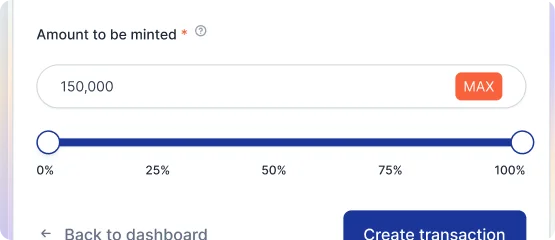
02 / Token Import Option
Provides a seamless way to import an existing token into the platform.
BEFORE / AFTER
RESULTS
Integrating token creation and import into onboarding improved onboarding efficiency and the overall user experience.
- 70% Adoption rate of in-app token creation/import
- 65% Increase in user satisfaction
- 50% Reduction in onboarding time
TAKEAWAYS
- Enhanced Efficiency
Simplified onboarding by integrating token creation and import options · Reduced the time required for founders to start using the platform - Increased Convenience
Provided a seamless way to import existing tokens or create new ones · Users can complete the onboarding process more smoothly - Improved User Satisfaction
Users appreciated the intuitive and guided process · Enhanced overall onboarding experience
## 07 MILESTONE VESTING
Integrating Milestone-Based Vesting for Diverse Project Needs
PROBLEM Accommodating Complex Milestone-Based Vesting
Founders need support for milestone-based vesting, which is not possible with the current linear system, causing inefficiencies.
- 80% Founders use milestone-based vesting
- 75% Require flexible, customizable vesting options
- 70% Find the current linear vesting limiting
GOAL Adding Milestone-Based Vesting to Support New Projects
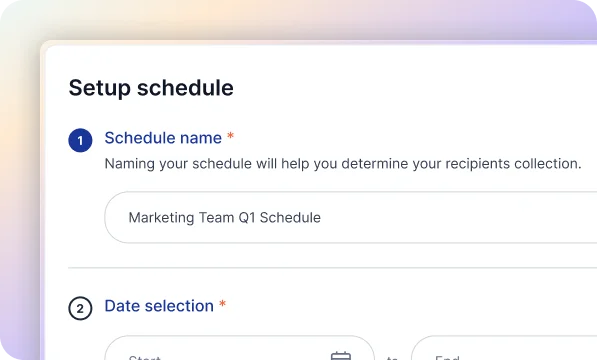
Integrate milestone-based vesting to support diverse project needs, enhancing flexibility and management efficiency.
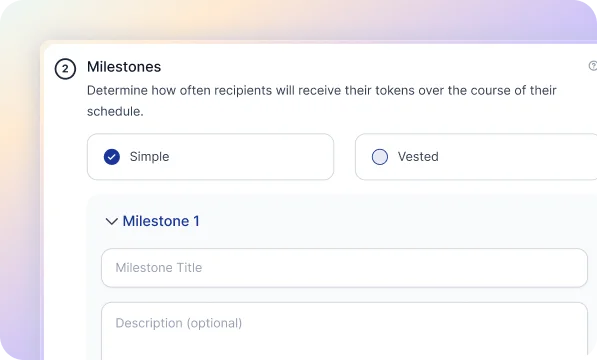
DISCOVERY Understanding Founder Needs for Milestone Vesting
Founders expressed the need for a vesting system that aligns with their milestone-based approach, which differs from the traditional linear vesting model.
SOLUTIONS Implementing Milestone-Based Vesting
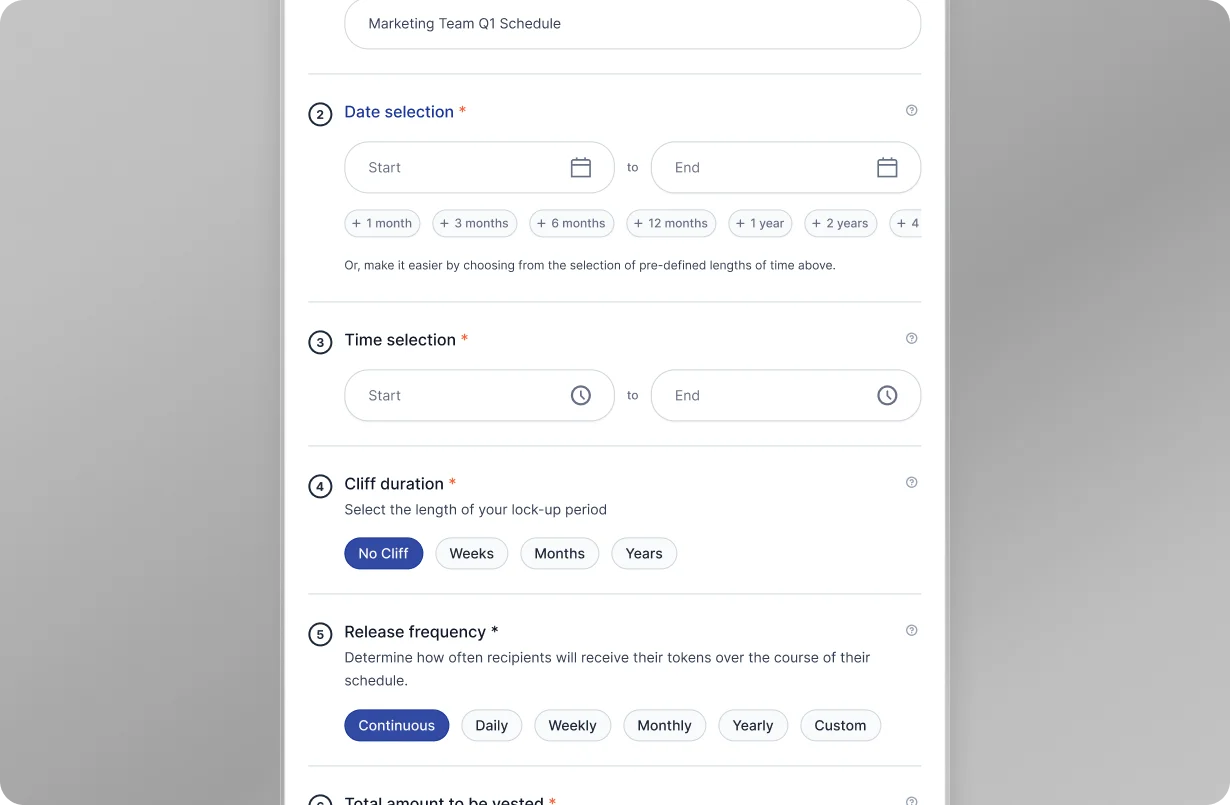
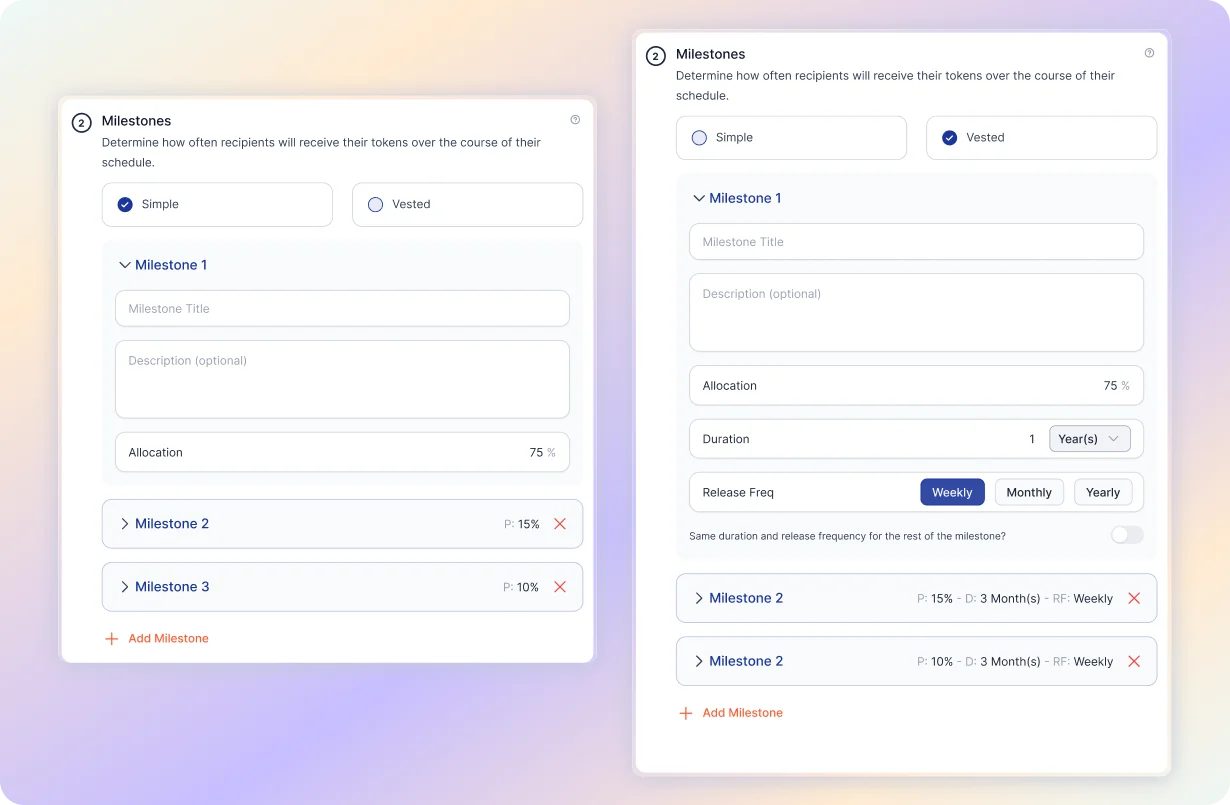
01 / Milestone-Based Vesting Option
Allows founders to set vesting schedules based on specific project milestones.
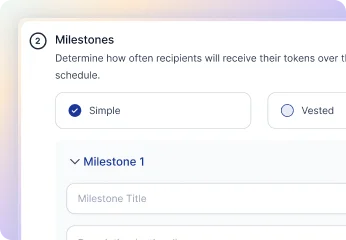
02 / Flexible Vesting Customization
Provides the ability to define and adjust milestones according to project needs.
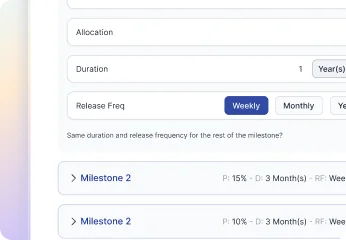
03 / Integrated with the Existing System
Seamlessly integrates with the current vesting options to offer a comprehensive solution.
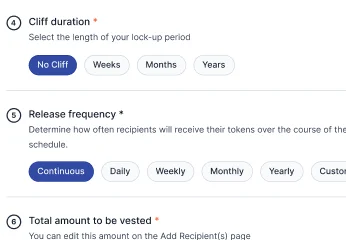
BEFORE / AFTER
RESULTS
The addition of milestone-based vesting significantly improved the flexibility and usability of the platform, catering to a broader range of project requirements.
- 70% Reduction in limitations reported by users
- 65% Improvement in user satisfaction
- 50% Increase in platform adoption by new projects
TAKEAWAYS
- Enhanced Flexibility
Allowed for customization of vesting schedules based on project milestones · Supported a wider range of vesting strategies - Increased User Satisfaction
Users appreciated the flexibility and customization options · Improved overall user experience by meeting diverse needs - Expanded Adoption
Attracted new projects that required milestone-based vesting · Strengthened the platform's appeal to a broader audience
## 08 TRANSACTION HISTORY
Simplifying Transaction History for Better Clarity
PROBLEM Overcoming Clutter in Transaction History
The current design is not intuitive and presents too much information across multiple tabs, making it difficult for users to find and understand the necessary transaction details.
- 60% Found the current transaction history overwhelming
- 55% Needed a more concise data display
- 70% Reported difficulty navigating
GOAL Streamlining Transaction History
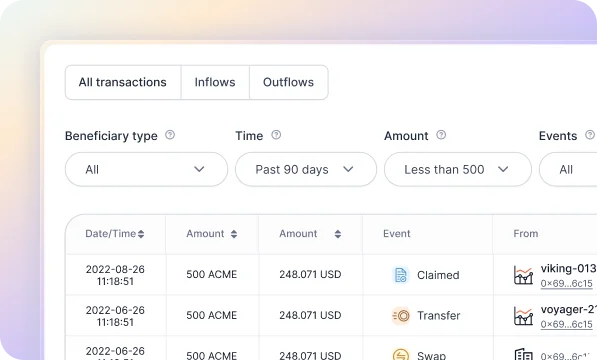
Create a more concise and informative transaction history — reduce the amount of information displayed while ensuring all important transaction details are included.
DISCOVERY Understanding Founder Needs
After interviewing the founder, we discovered the need for a more concise transaction history — less data on display, focusing only on the essential details needed for effective transaction tracking.
SOLUTIONS Enhancing Improvements for Clarity
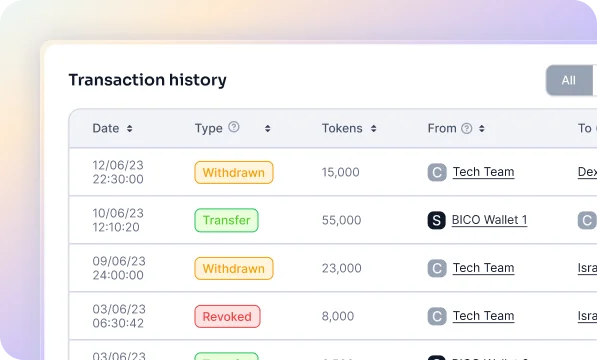
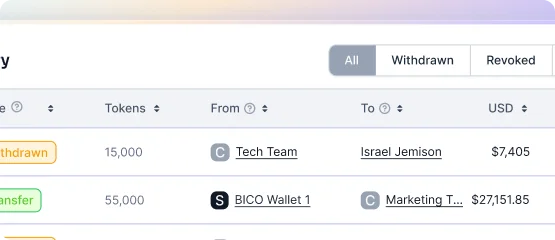
The iterations involved replacing wallet addresses with proper names based on schedule, contract, recipient, and safe names — removing unnecessary dropdowns and search buttons, and updating column headlines to be more descriptive and intuitive:
01 / Streamlined Information Display
Organizes transaction details logically and concisely, improving clarity and reducing information overload.
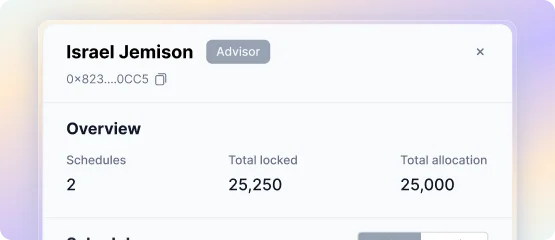
02 / Quick User Summary
Provides a quick summary of user details when clicking on a name, displaying the correct name based on our database instead of the address.
BEFORE / AFTER
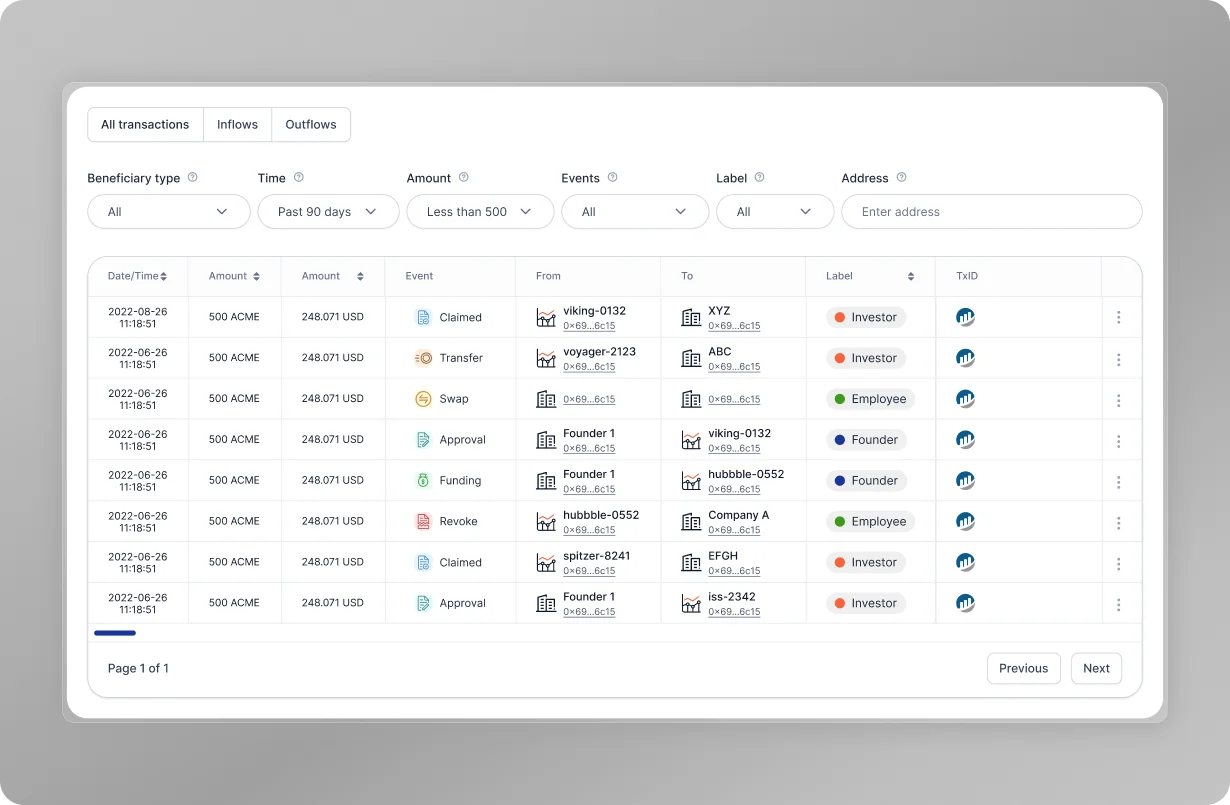
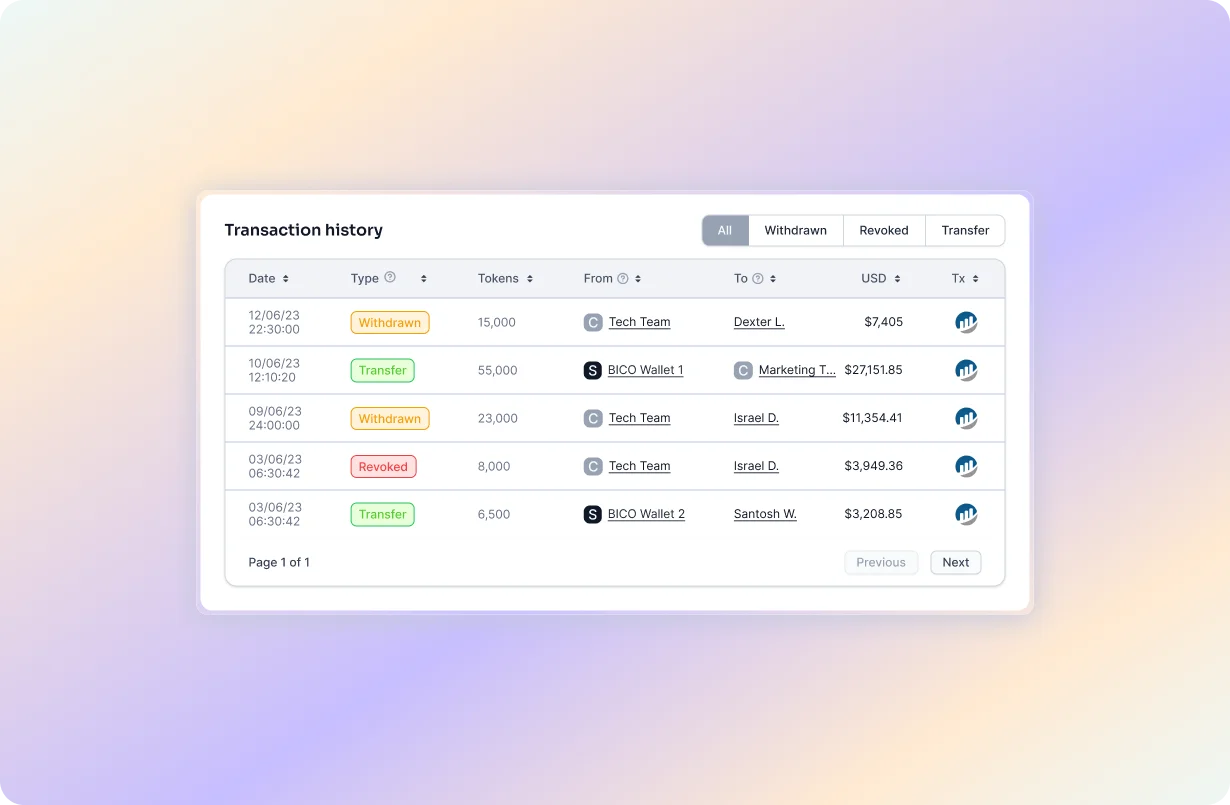
RESULTS
Our dynamic transaction history solutions have significantly improved user experience and operational efficiency — quicker task completion, increased user satisfaction, and reduced information overload.
- 45% Quicker access to relevant information
- 60% Improvement in user satisfaction
- 50% Reduction in information overload
TAKEAWAYS
- Enhanced Efficiency
Streamlined actions reduce completion time · Live updates provide real-time insights - Improved User Satisfaction
Intuitive UI enhances user experience · Dynamic details improve interaction - Operational Scalability
Scalable solutions support growing needs · Automation reduces manual workload
## 09 CHARTS
Visualizing Key Metrics with Real-Time Charts
PROBLEM Identifying Key Metrics for Decision-Making
Founders need help identifying and tracking key metrics for effective decision-making, lacking real-time data visualization and actionable insights.
- 75% Experienced real-time tracking issues
- 60% Dealt with manual data entry errors
- 70% Faced data integration problems
- 90% Demanded automation
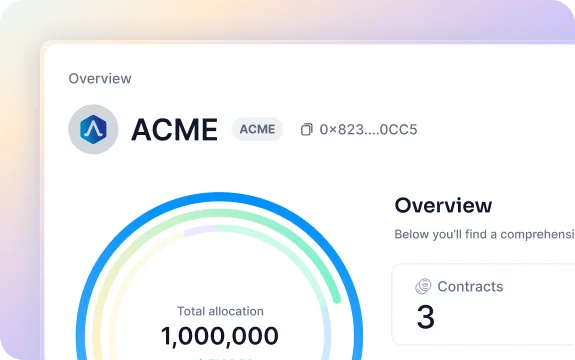
GOAL Establishing a Real-Time Metrics Dashboard
Establish a real-time metrics dashboard, providing founders with dynamic data visualization and actionable insights for better decision-making.
DISCOVERY Understanding Founder Needs
We engaged with 10 founders to understand how they handle token vesting and uncovered critical pain points. Many face difficulties managing real-time tracking of token claims and price changes, leading to inefficiencies and potential financial risks.
SOLUTIONS Enhancing Token Management with Real-Time Charts
01 / Real-Time Data Visualization
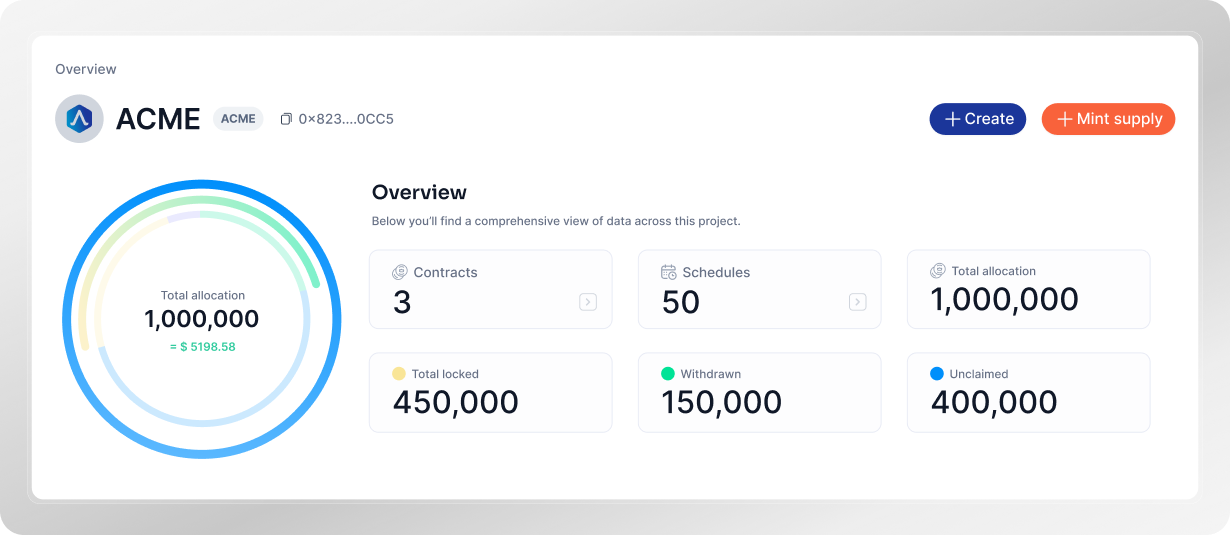
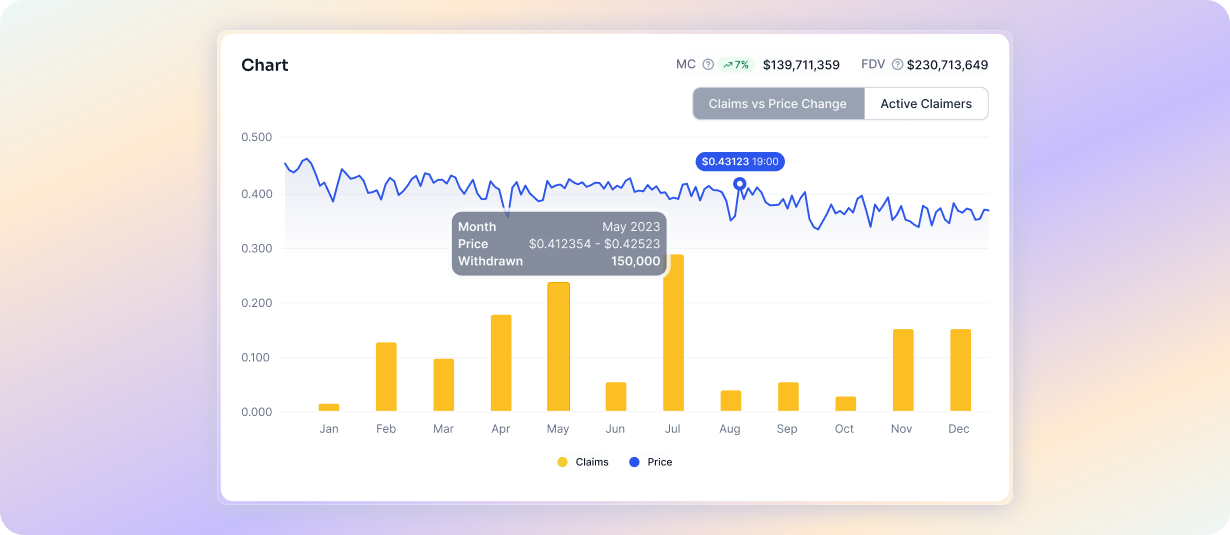
Provides dynamic and up-to-date visual representations of current prices, token movements, and market cap changes.
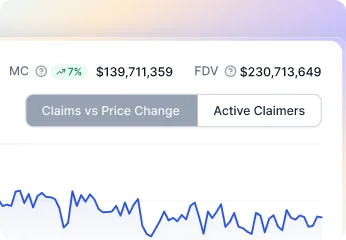
02 / Categorized Chart Features
Offers specific charts like Claims vs. Price Change and Active Claimers for detailed insights.
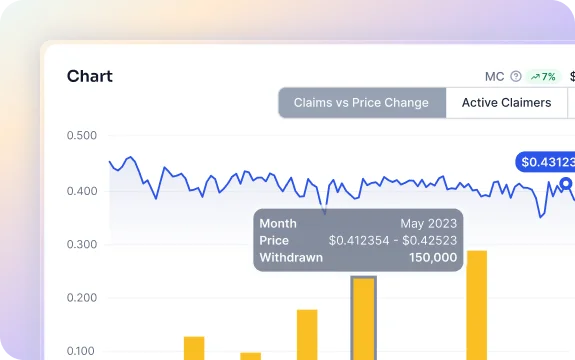
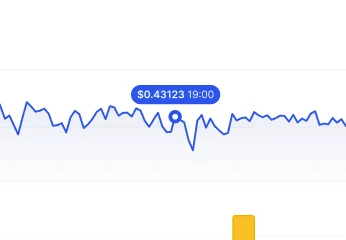
03 / Monthly Summary Bars
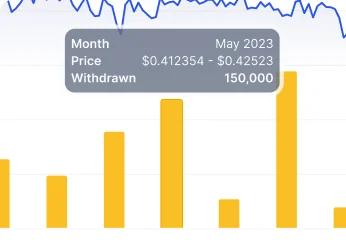
Displays a summary bar on the chart showing the month, price, and total withdrawn tokens.
BEFORE / AFTER
RESULTS
Real-time charts improved data insights and the overall user experience.
- 70% Increase in potential data integrations
- 70% Improvement in user satisfaction
- 83% Improvement in decision-making
TAKEAWAYS
- Enhanced Decision-Making
Real-time data enables quicker, more informed decisions · Visual insights help identify trends and anomalies promptly - Increased Data Integration Opportunities
Opened new avenues for integrating diverse data sources · Improved overall data utilization and transparency - Improved User Satisfaction
Users appreciate the clarity and accessibility of visual data · Higher engagement due to interactive and intuitive charts - Operational Efficiency
Automation reduces manual workload and errors · Streamlined processes lead to faster and more accurate reporting
## 10 CLAIMS PORTAL
Streamlining the Claims Process for Token Recipients
PROBLEM Simplifying Token Claims
Recipients lacked a streamlined process for claiming tokens, leading to a tedious and error-prone manual process.
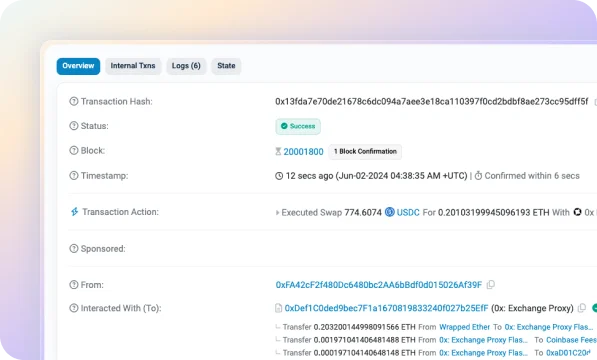
- 60% Found the manual process tedious and error-prone — required navigating Etherscan
- 55% Lacked a clear overview of their token schedules
- 70% Needed better guidance on claiming tokens
GOAL Creating a User-Friendly Claims Dashboard
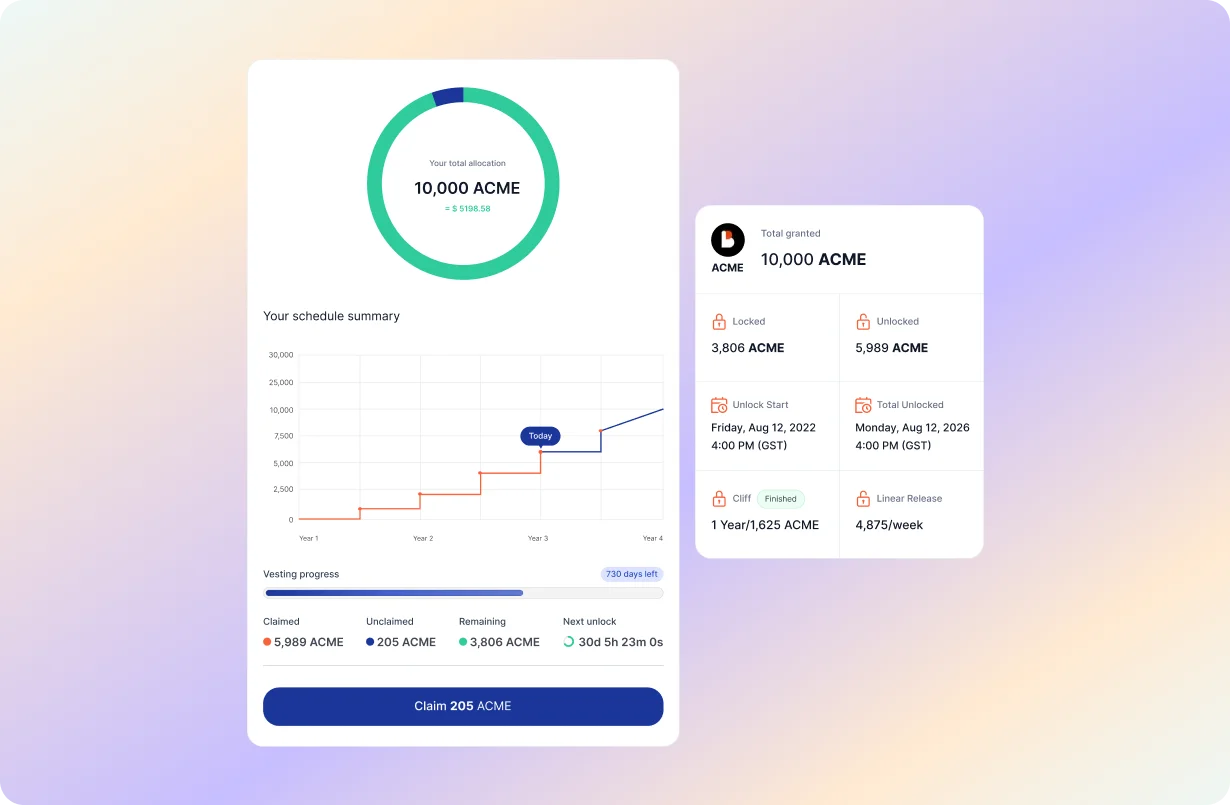
Create a dashboard for recipients to claim their vested tokens easily — showing multiple schedules, vesting progress, and the time remaining before tokens can be claimed.
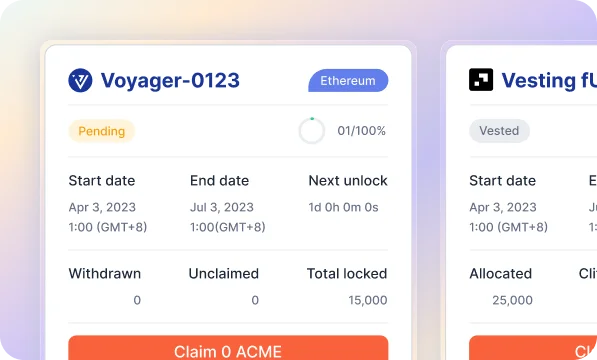
DISCOVERY Understanding Recipient Needs
Recipients faced significant challenges with the existing token claim process, which required manual navigation and understanding of Etherscan. The process was tedious, prone to errors, and left recipients relying on founders for instructions.
SOLUTIONS Introducing the Claims Portal Dashboard
01 / Integrated Claims Dashboard
Enables recipients to claim tokens directly from the dashboard without needing to go to Etherscan.
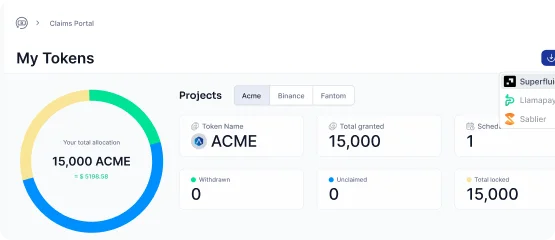
02 / Detailed Vested Token Summary
Provides a detailed summary of vested tokens, including vesting progress, total unclaimed tokens, claimed tokens, and time remaining.
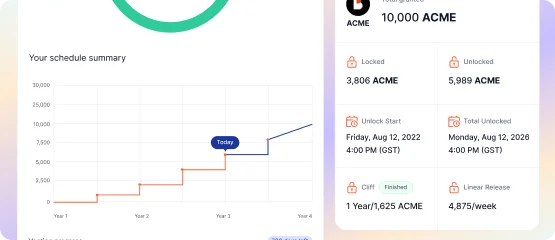
BEFORE / AFTER
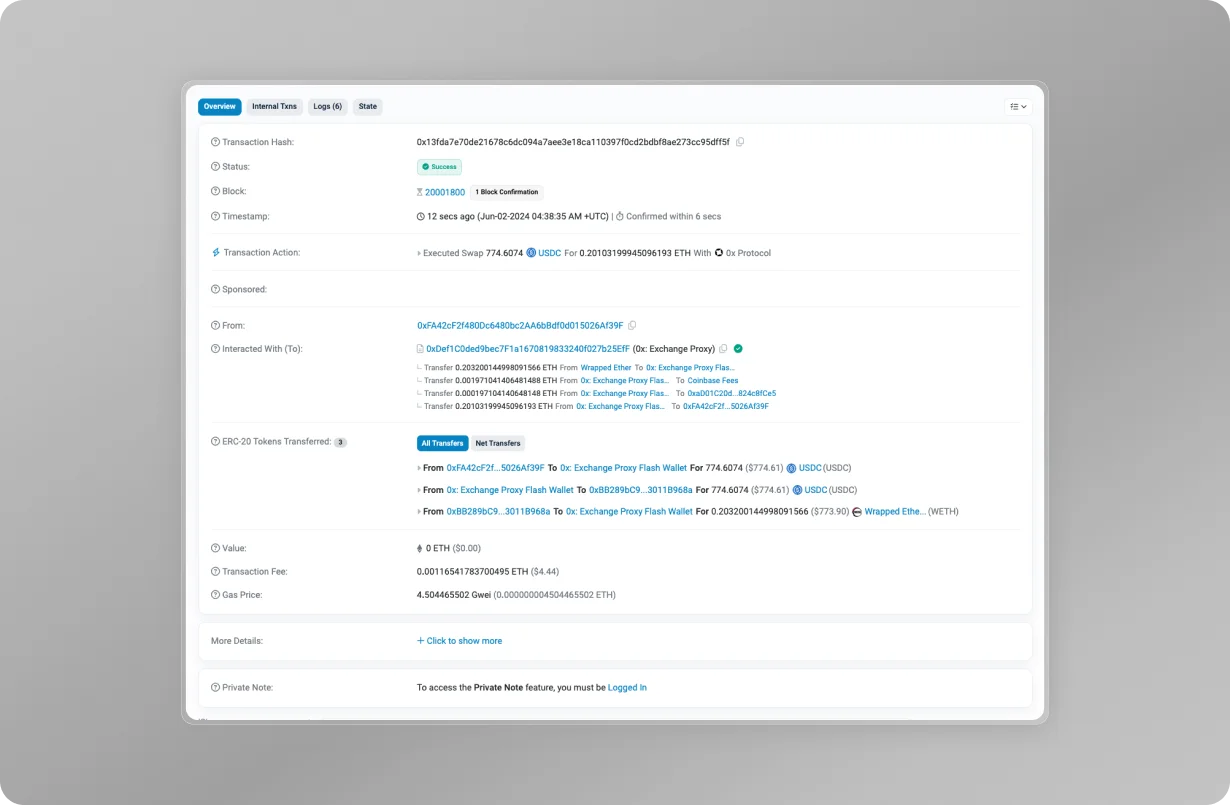
RESULTS
The new claims portal dashboard significantly improved the token claim process. Recipients now have a clear, centralized view of their token schedules and can claim tokens with ease.
- 60% Increase in recipient satisfaction
- 55% Reduction in claim process errors
TAKEAWAYS
- Enhanced Efficiency
Simplified the claims process, reducing the need for manual steps · Integrated options provided a seamless workflow - Increased Clarity
Clear overview of multiple schedules and token status · Recipients can easily track vesting progress and claimable tokens - Improved User Experience
Users appreciated the streamlined and intuitive process · Reduced dependency on founders for guidance
## 11 WITHDRAWN SUMMARY
Enhancing Withdrawn Token Visualization and Monitoring
PROBLEM Comprehensive Withdrawn Token Tracking
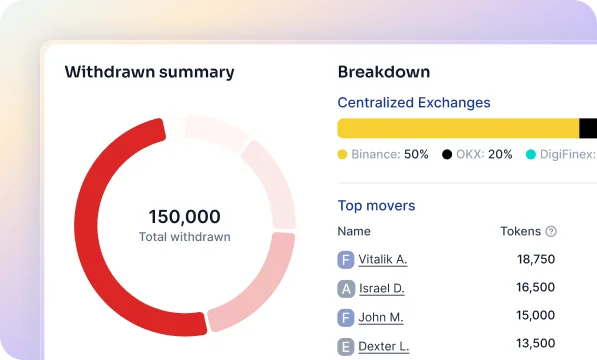
Founders struggle to track withdrawn tokens from vesting schedules, specifically in categorizing by CEXs, DEXs, and wallets. Monitoring top movers and setting alerts based on withdrawal amounts is also difficult.
- 80% Needed categorization of withdrawals by exchange
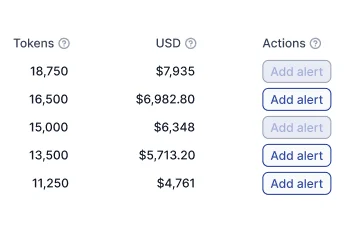
- 70% Required tracking of top movers with alerts
- 65% Desired a detailed overview of schedules and transactions

GOAL Robust Data Visualization and Tracking for Withdrawn Tokens
Develop robust data visualizations and tracking functions — categorizing withdrawals, monitoring top movers, and offering insights into schedules, total locked tokens, and transactions.
DISCOVERY Understanding Founder Needs
Founders needed a clear breakdown of withdrawals to CEXs, DEXs, and wallets, the ability to monitor and set alerts for top recipients, and access to comprehensive details on schedules and transactions.
SOLUTIONS Introducing the Withdrawn Token Monitoring Dashboard
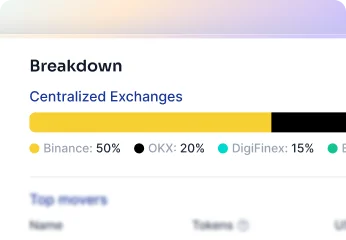
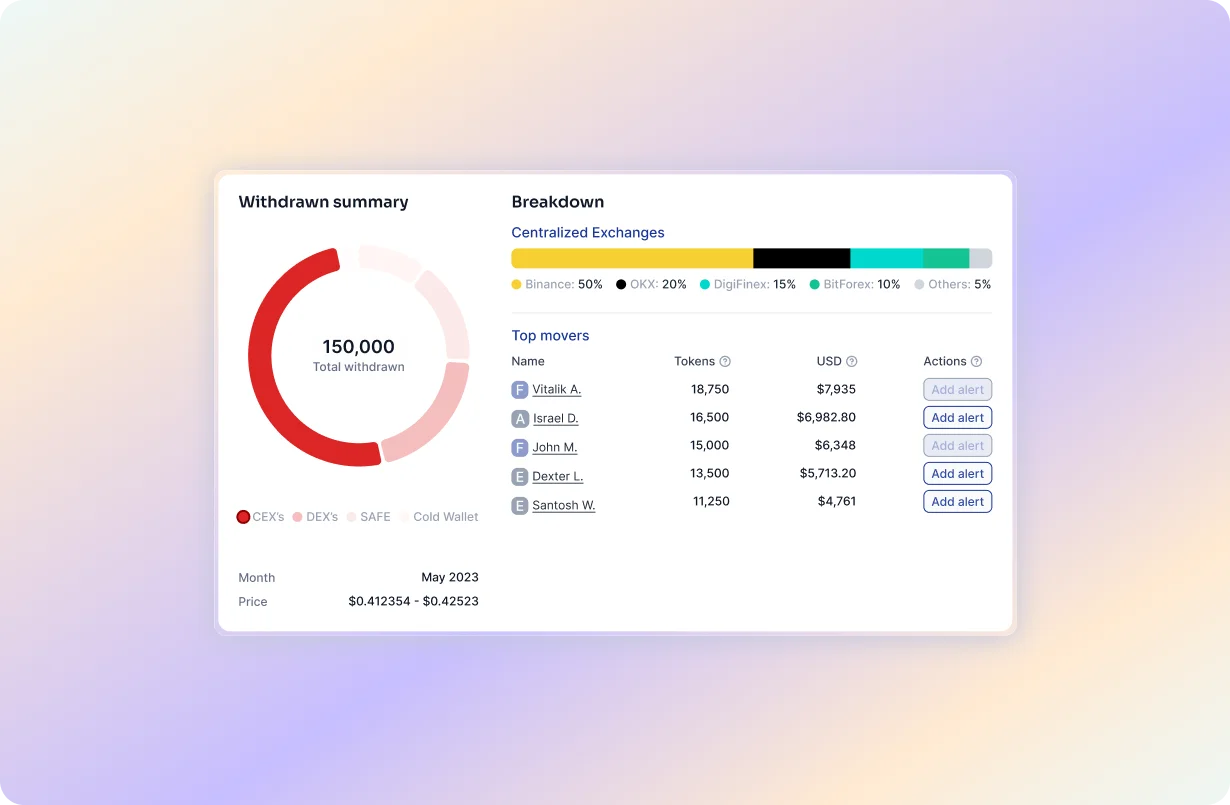
01 / Streamlined Information Display
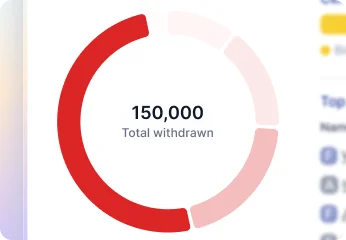
Provides dynamic and up-to-date visual representations of withdrawn tokens and token movements.
02 / Top Movers Monitoring and Alerts
Enables monitoring of top movers and assigning alerts based on token amount, USD value, or supply percentage.
03 / Categorization of Withdrawals
Categorizes withdrawals by type of exchange and specifies which exchange the tokens are withdrawn from.
BEFORE / AFTER

RESULTS
The monitoring dashboard optimized both user experience and operational efficiency for tracking withdrawn tokens.
- 45% More detailed recipient insights
- 60% Increase in monitoring efficiency
- 50% Improvement in data clarity
TAKEAWAYS
- Enhanced Clarity
Detailed breakdown by CEXs, DEXs, and wallets · Clear visualization of withdrawn tokens - Increased Monitoring Efficiency
Effective tracking of top movers · Ability to set alerts based on key metrics - Improved Data Insights
Comprehensive overview of recipient details · Access to detailed schedules and transactions